 Aligner PowerTools
Faster aligner planning.
A free Chrome extension. A Case Guide that flags the teeth worth a look, one-click templates, and dictation that writes the comment for you to review.
Voice dictation
What you say
“Tip thirteen mesially four degrees, intrude ten half a millimetre, bite ramps on seven through ten, no round tripping.”
What PowerTools writes, for you to read and submit
- Tip the root of #13 mesially 4 degrees
- Intrude #10 0.5mm
- Place bite ramps on #7,8,9,10 on the last 2 active trays.
- No round tripping
What it does
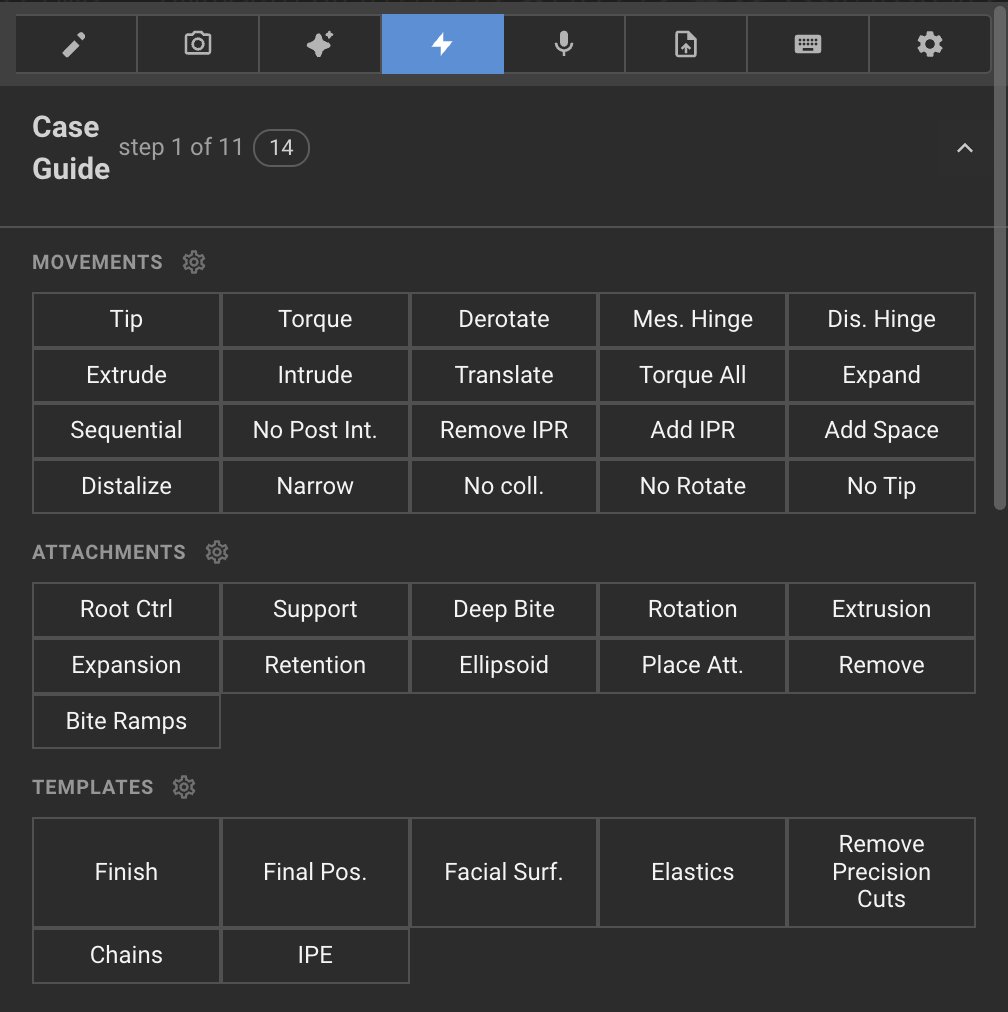
Case Guide
Walks the plan in review order, moves the 3D view to each step, and lists only the teeth worth a look, with a one-click fix that writes the instruction for that tooth.
Voice dictation
Speak in your own words. PowerTools turns them into template lines, shows you the result, and you submit.
Templates and hotkeys
Movements, attachments, IPR and finishing lines as one-click buttons or keystrokes. Add your own.
Smile lines
Facial reference lines on any photo: midline, incisal edge, intercanine width, proportions, each with a slider.
Present and capture
Present Mode hides everything PowerTools adds, one click on and off. Snap Mode for clean screen captures.
Case timer and stats
Time per case, copied with the case ID when you stop. Your numbers over time.
Start
- Add to Chrome. One click from the Chrome Web Store.
- Open a case. PowerTools is in the sidebar. Click Activate.
- Enter your email. One key works on three devices.